Glisando
MIDI controller · harmonizer

Play the melody.
Glisando plays the rest.

A MIDI app for building and switching performances in seconds, on hardware and software instruments alike. Every channel gets its own sound and its own way of playing, and together they blend into one combined sound, with thirds harmony that follows the scale and transposes with you. It works with any keyboard or sound module that understands MIDI, and runs on the Android tablet or phone you already own.

03Hicaz taksim
A HIJAZ · TR 0 · THIRD ↓ · SCALE HICAZ
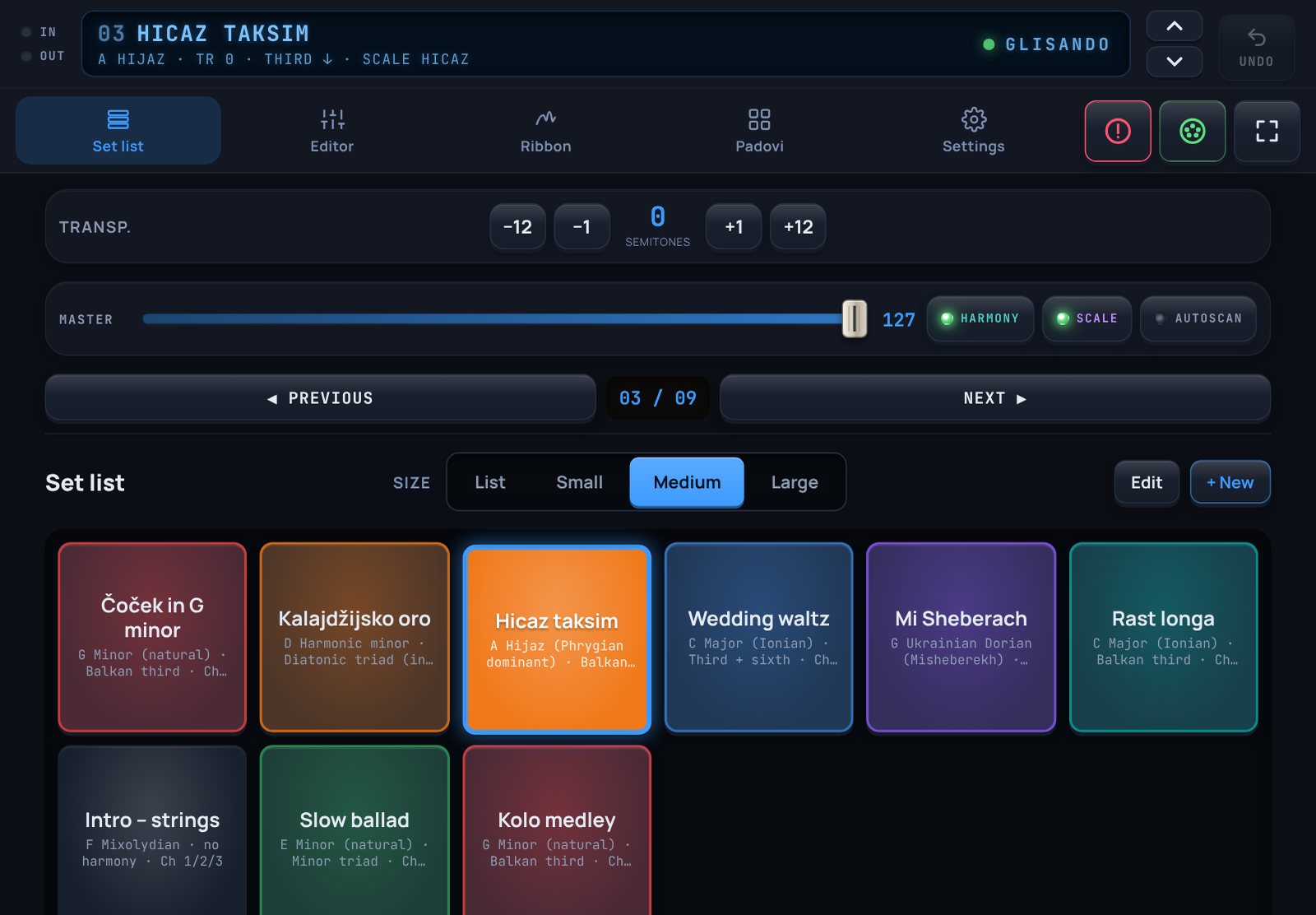
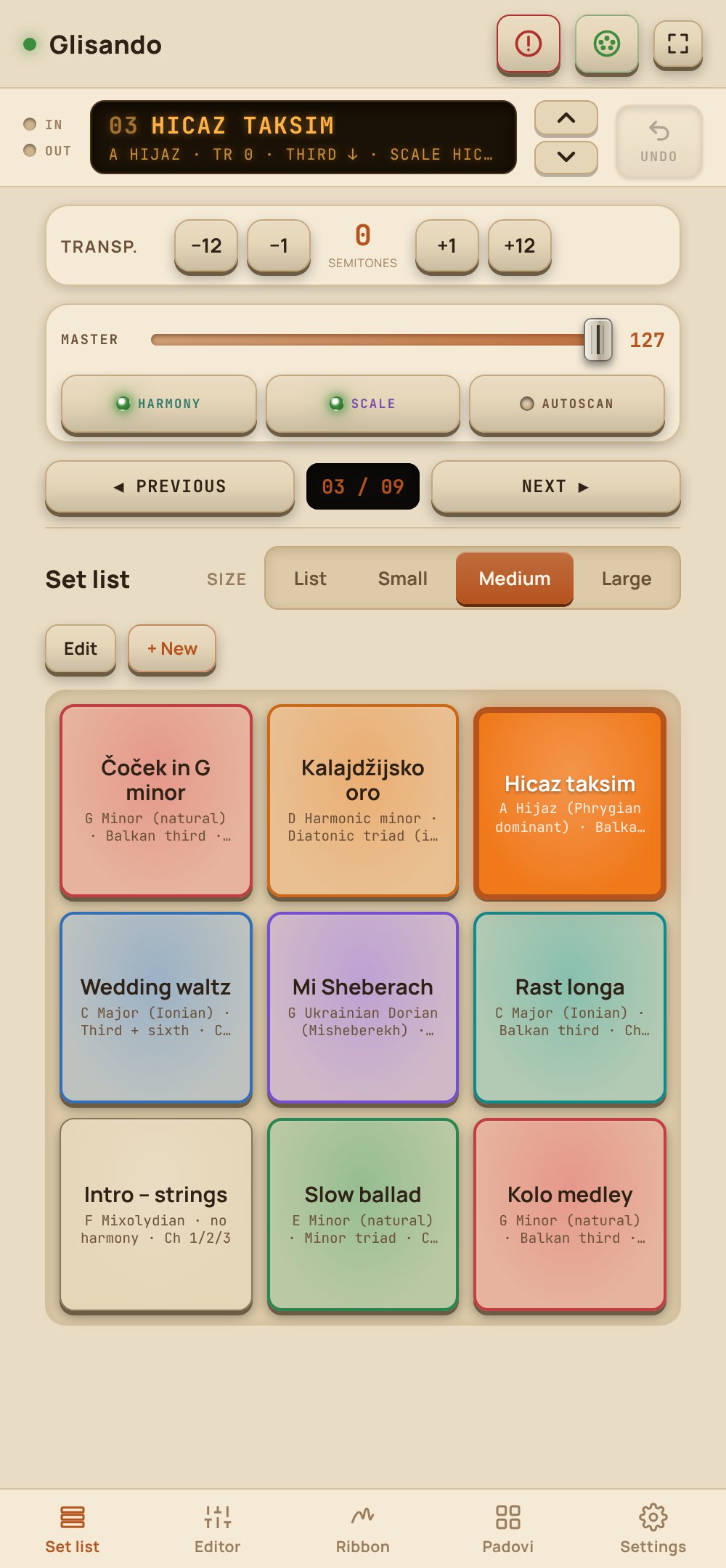
The set list in the blue Kronos theme with nine coloured performances

Try the demo on Android

The demo is the full app with a few limits: up to 3 performances, and no microtuning, pads or added channels. Everything else works. To unlock the full version, send the device code from Settings › License by email and you will get an activation code back.

Download the demo (APK)

Android 7 or newer · about 4.4 MB

The first time, Android asks you to allow installing apps from this source (Install unknown apps). Allow it just for this install.

What it does

Everything a gig needs, on one screen you can reach while you play.

Glisando sits between your keyboard and your sounds. Notes come in over MIDI and go out harmonized and transposed, and every channel gets its own sound, volume, key range and velocity range. Pads send notes, CC messages and program changes. It is a MIDI controller, so it drives whatever is listening: a workstation, an arranger or a sound module.

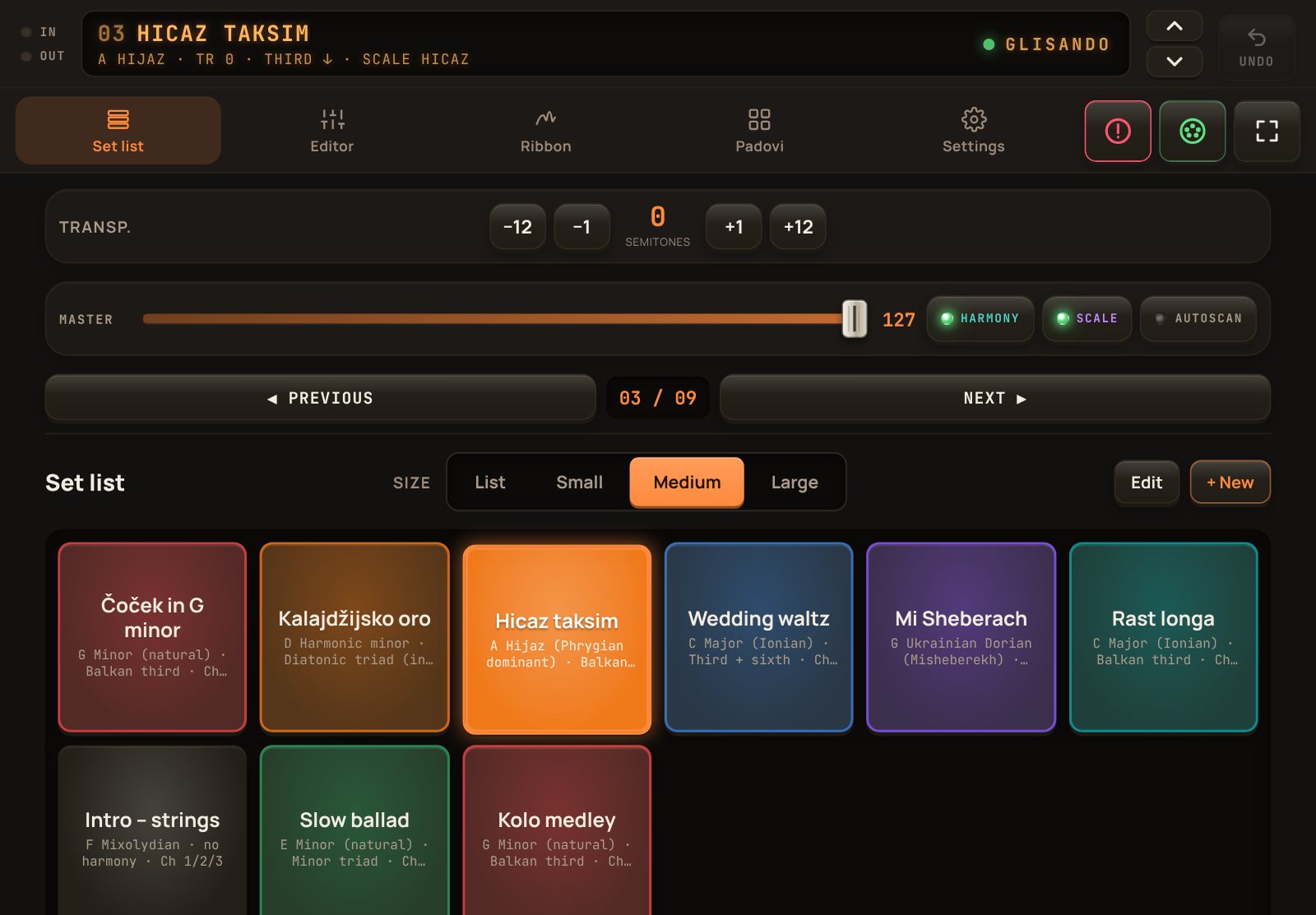
Glisando's set list on a tablet: the display with the current performance, transpose, a MASTER fader with HARMONY, SCALE and AUTOSCAN keys, PREVIOUS and NEXT keys, and coloured performance pads

A set list that sets up the whole instrument

Save the current state as a performance: channels, sounds, volumes, key, scale, harmony, split, layers and tuning. Recalling it sends everything at once.

  • Bank MSB/LSB, Program Change and volume (CC7) for every channel, programs firstVolumes are sent again shortly after the program change, so instruments that reset their volume on a program change still get it.
  • PREVIOUS and NEXT keys, arrows beside the display that work from every page, or a Bluetooth page-turner pedal
  • Pads in three sizes or a list, eight colours, drag to reorder, copy a performance
  • The display shows what is playing and the MIDI connection, and flags unsaved changes with a SAVE key
  • Transpose and MASTER stay at the top, and a green lamp shows what is on: HARMONY, SCALE and AUTOSCAN
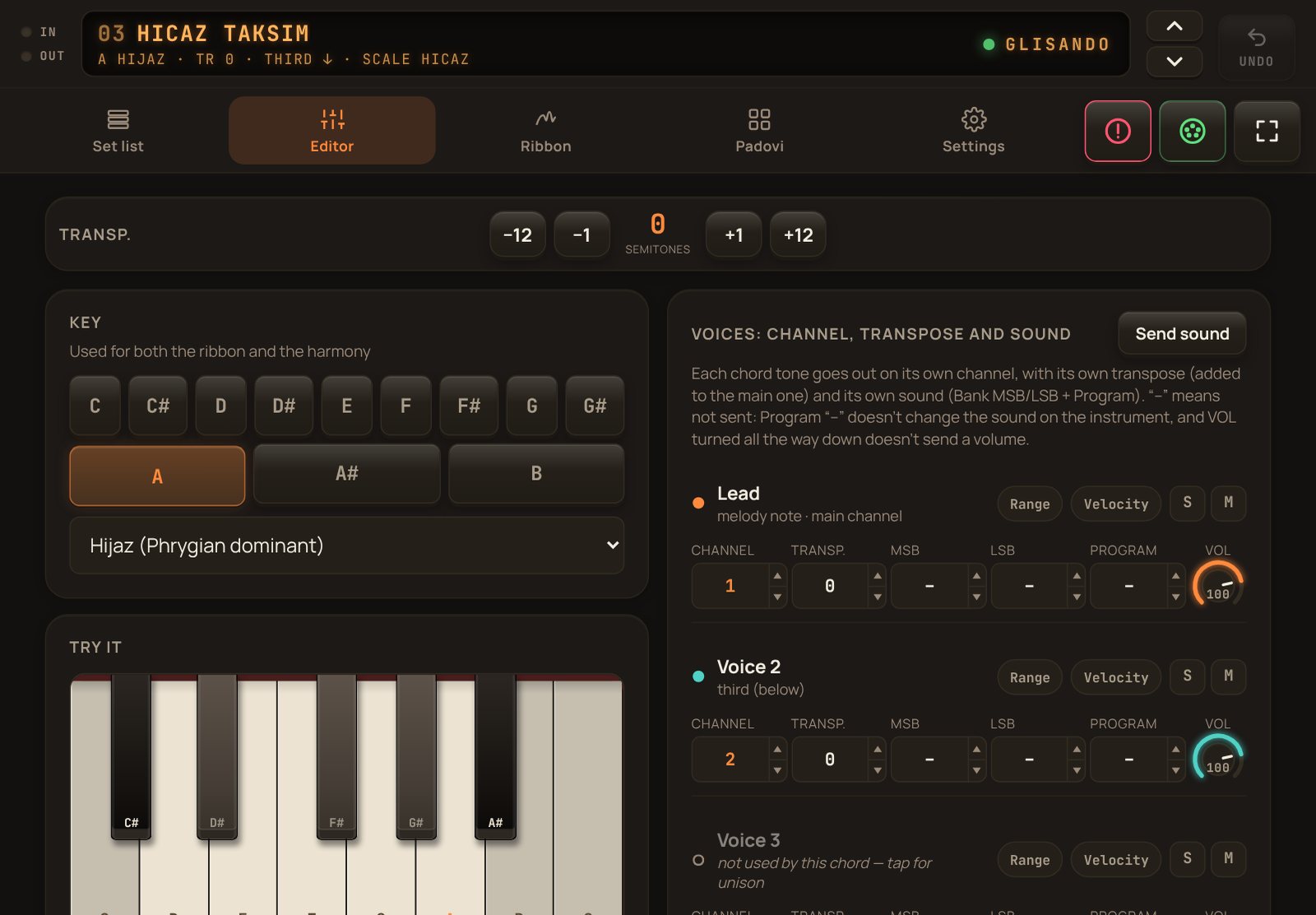
The Editor: key and scale, the try-it keyboard and the voice blocks with channel, transpose, bank, program and volume knobs

Harmony that knows the scale

Each chord tone leaves on its own channel, so the third can be a clarinet while the melody stays on accordion. Diatonic types follow the key, and notes outside the scale are harmonized with intervals that still sound right.

Balkan third ↑ / ↓Diatonic triadDiatonic sixth Third + sixthMajor / minor triadOctaveFifth
  • 13 scales, including harmonic minor, Hijaz, Hijazkar and Ukrainian Dorian
  • Per voice: channel, transpose, bank, program and a volume knob with a don't-send position
  • Up to 12 extra layer channels, each following the lead, a harmony voice or the left hand
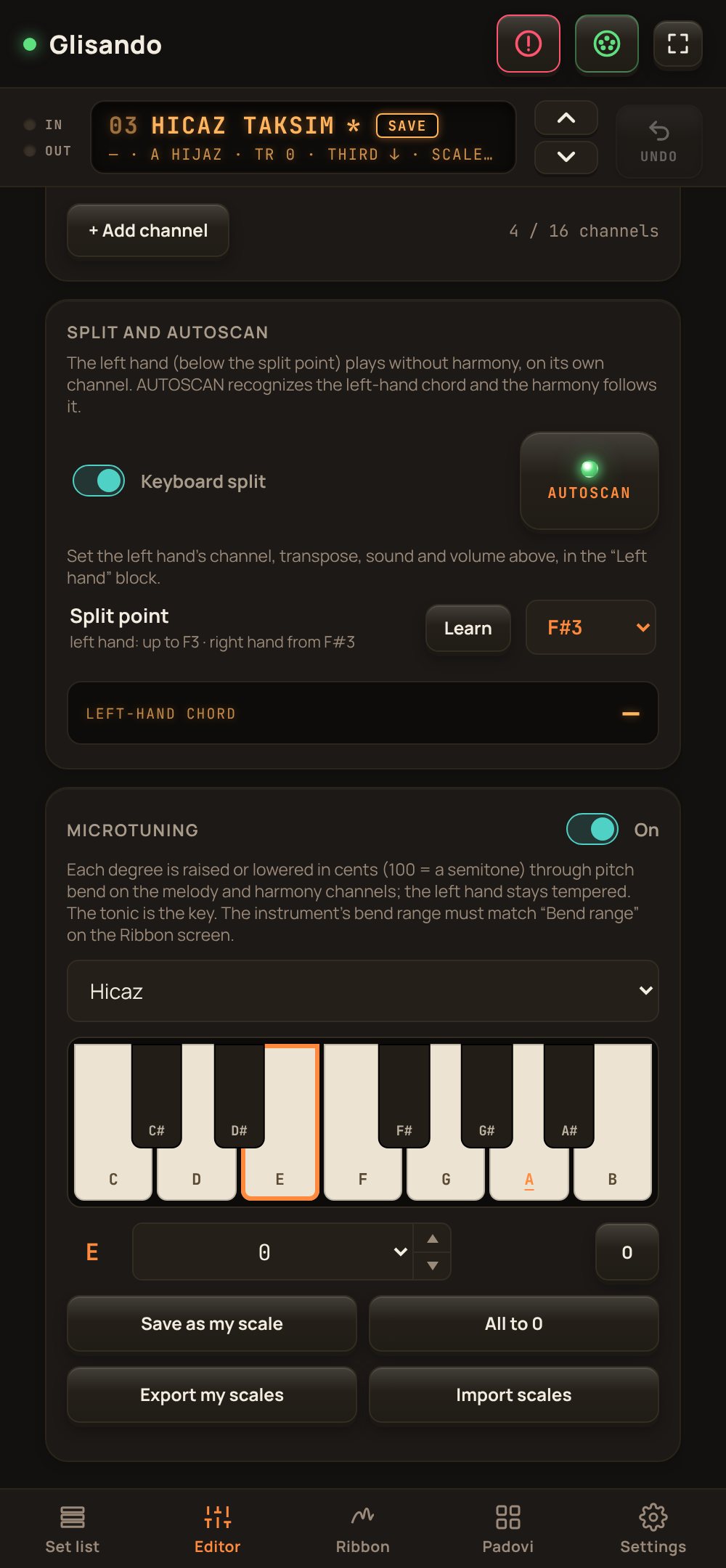
Split and AUTOSCAN on a phone: the split point at F#3, the left hand on its own channel and the AUTOSCAN key lit

Split, AUTOSCAN, key zones and velocity ranges

Below the split point the left hand plays without harmony on its own channel. Turn on AUTOSCAN and the chord you hold there drives the right-hand harmony, like the chord memory of an arranger.

  • Pick the split point from a list or press the key on your keyboard (Learn)
  • Every channel can have its own key range: strings only above C5, a bass only below the split
  • Zones follow the split automatically, and layers take the range of the hand they follow
  • Every channel can also have a velocity range: soft playing opens one sound, hard playing another
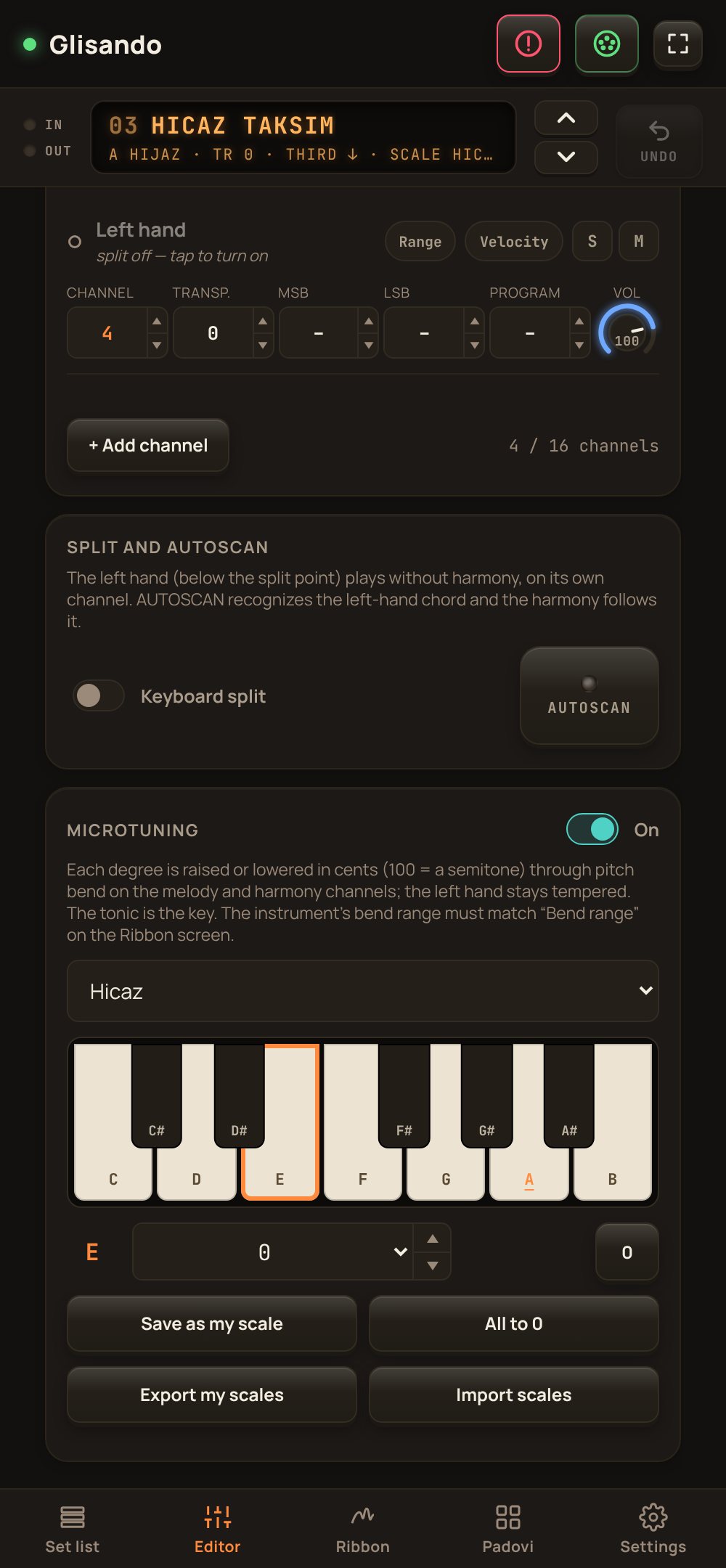
The Microtuning panel: a one-octave keyboard showing the cents of each degree, with the Hicaz scale selected

Maqam intervals on any keyboard

Choose a scale and Glisando bends each degree by the right number of cents before the note starts, on the melody and harmony channels. The left hand stays tempered. One tap on SCALE switches the tuning on or off during a song.

ScaleFamilyDegrees from the tonic
RastArabic3rd −50 · 7th −50
BayatiArabic2nd −50
SikahArabictonic −50 · 5th −50
UşşakTurkish2nd −23
HicazTurkish♭2nd +10 · 3rd −10
  • 8 Arabic quarter-tone scales and 9 Turkish comma-based ones as starting points
  • Set any degree from −100 to +100 cents on the keyboard, save it as your own scale, export and import scale files
  • The pitch wheel and the ribbon still bend on top of the tuning
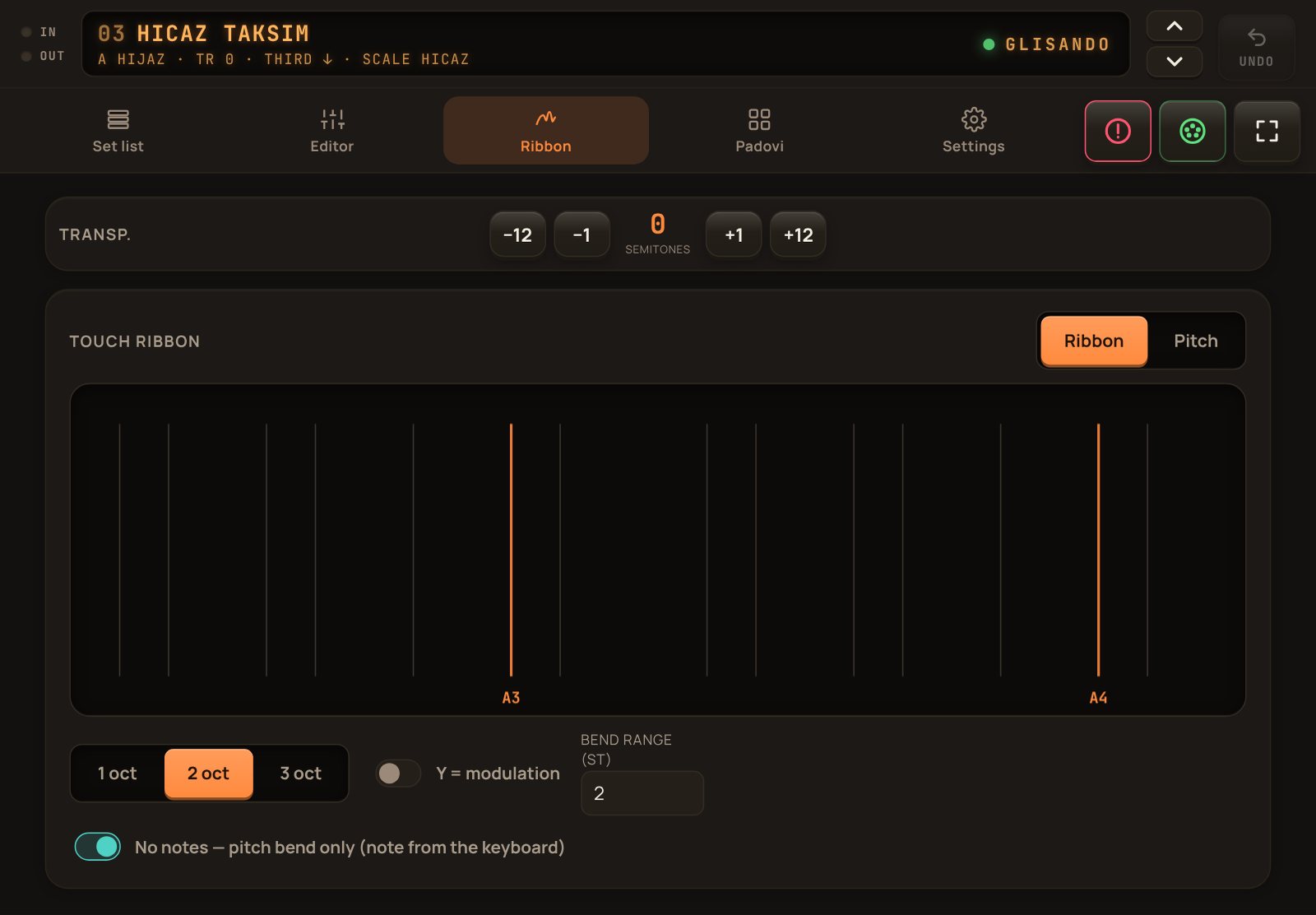
The touch ribbon over two octaves of A Hijaz, with octave, modulation and bend range settings

A touch ribbon for glides

Slide across one to three octaves of the current scale, or switch to Pitch mode and bend a held note. Moving up and down can send modulation.

  • The bend range is sent to every channel (RPN)
  • No-notes mode: the keyboard plays, the ribbon only bends
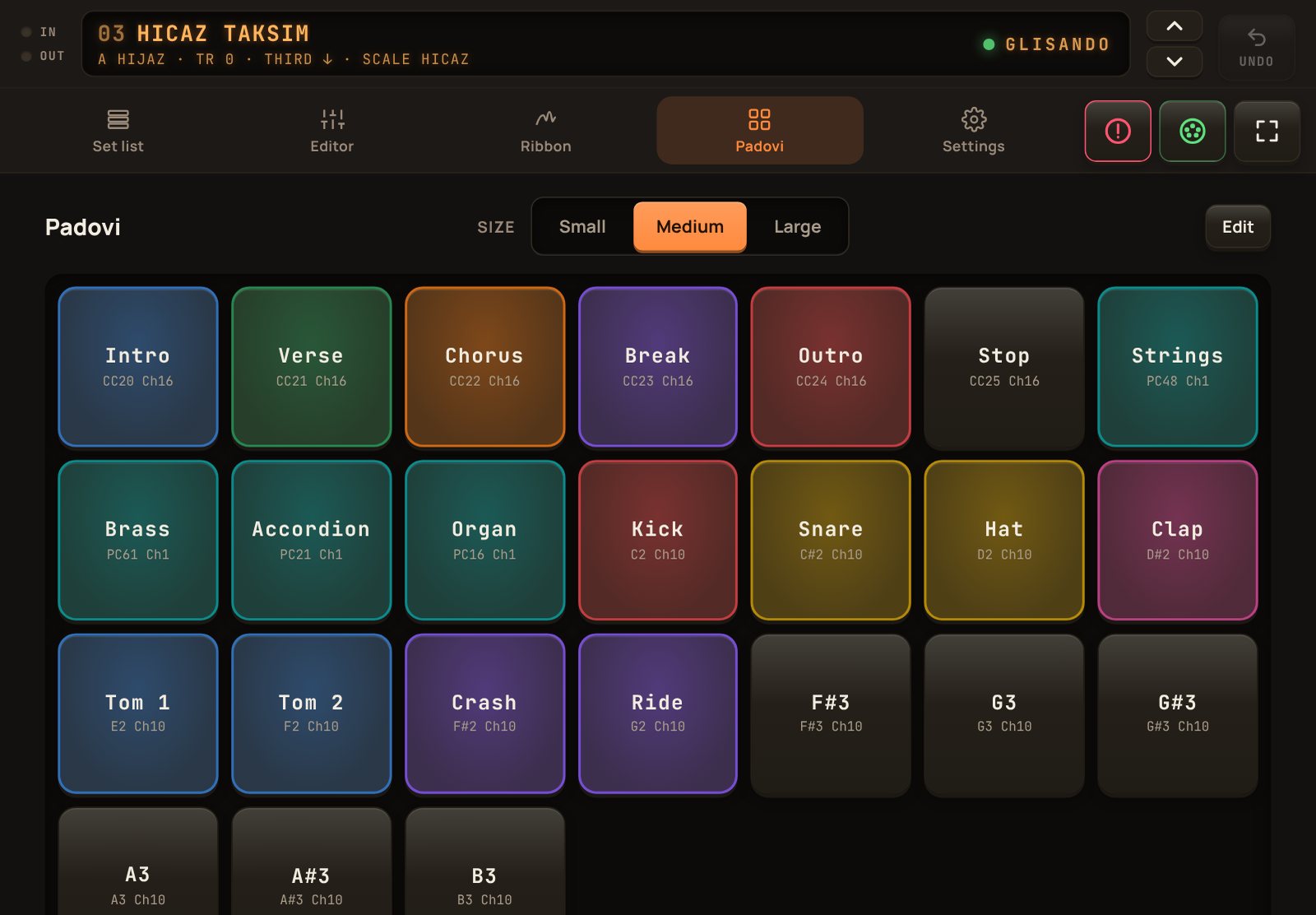
The pads page on a tablet: twenty-four coloured pads for scenes, sound changes and percussion

Pads for scenes, sounds and percussion

Twenty-four pads, each with its own name, colour and channel. A pad sends a note, a CC message or a program change; while you hold it, it fills with its colour, and when you let go the colour fades out slowly.

  • Three kinds: a note with velocity, CC (for example to change scenes in a DAW) and Bank/Program
  • Hold several pads at once, so you can play chords and rhythms
  • Three tile sizes and the same hardware look as the set list: a pad sinks when you press it
On stage

Three nights, one app.

How players use Glisando between the keyboard and the sound.

01Čoček in G minor
G MIN · TR 0 · THIRD ↓

A wedding with a hardware workstation

A four-hour set with the tablet on the music stand.

  1. One performance per song: lead, third and left hand each on their own program
  2. The Balkan third runs under the melody; AUTOSCAN follows the left-hand chords
  3. A page-turner pedal steps to the next song without touching the screen
03Hicaz taksim
A HIJAZ · TR 0 · THIRD ↓ · SCALE HICAZ

Oriental repertoire

Turkish and Arabic songs on a keyboard without a maqam scale function.

  1. Pick Hicaz or Rast; SCALE lights purple and the display shows the tuning
  2. The harmony voice is tuned too, on its own channel
  3. SCALE off for the tempered chorus, on again for the taksim
--Practice
C MAJ · TR +2 · TRIAD

Practice anywhere

No keyboard at hand: play the on-screen keys.

  1. The on-screen keys play with the same harmony and tuning as on stage
  2. The try-it keyboard shows which keys are in the scale
  3. Back up everything to a file and take it to the device you play on
Setup

Plug in, pick the port, play.

Glisando speaks standard MIDI, so it works with any keyboard or sound module that does.

With a hardware keyboard

The keyboard sends its keys to Glisando and gets the harmonized notes back. Switch MIDI Echo/Thru off on the instrument.

Your keyboardworkstation, arranger or synth
USB / BT MIDI
GlisandoOn a tablet or phone
same cable
Its own soundsone channel per voice
Made for the stage

Readable from the music stand, in your language.

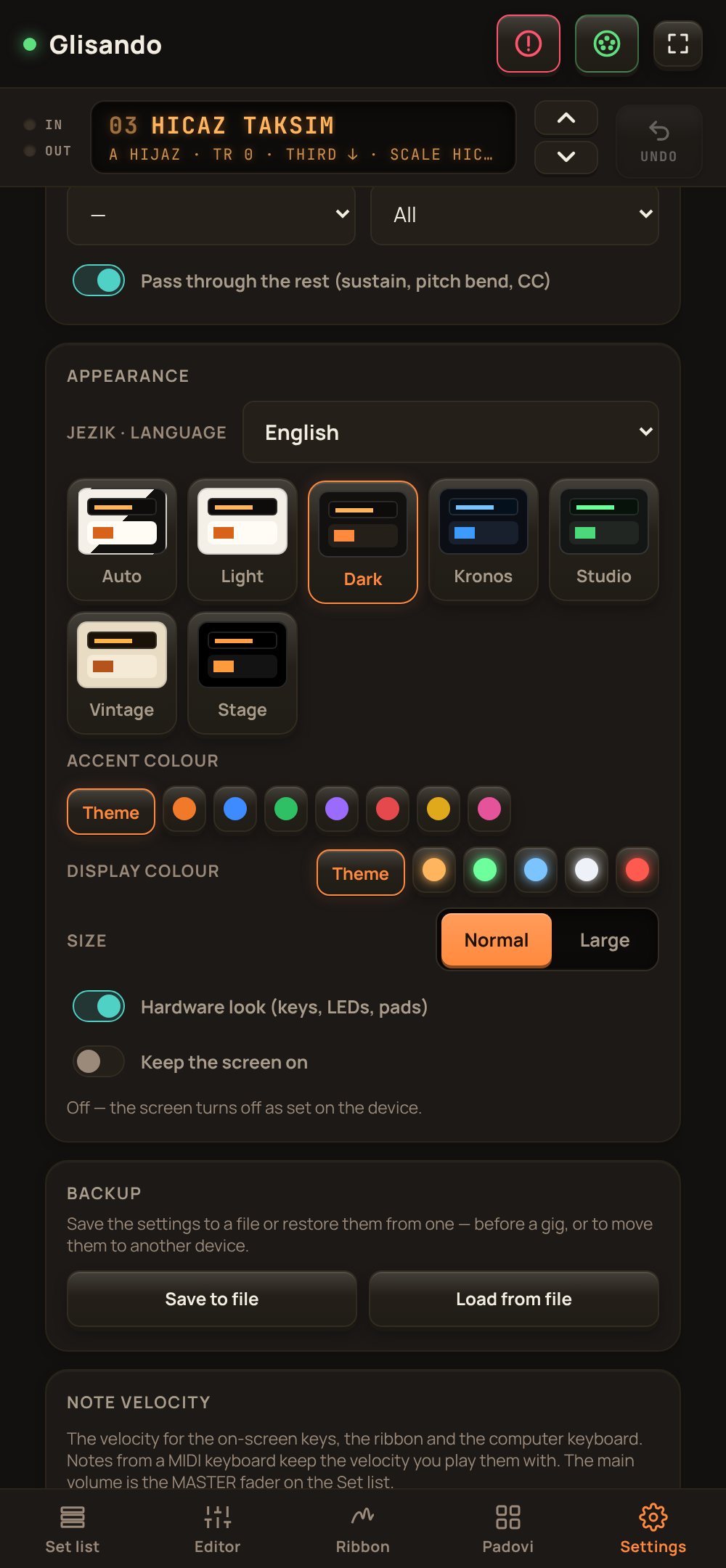
Seven themes, an accent and display colour of your choice, a hardware look with real LEDs, and a large-text mode for a tablet at arm's length.

EnglishSrpskiDeutsch RomânăItalianoTürkçeБългарски
Details

What you need, and what to expect.

Runs on
Android 7 or newer
Devices
Tablet or phone, with layouts for each in portrait and landscape
Connects
USB MIDI and Bluetooth MIDI
Controls
Hardware keyboards, sound modules, workstations and arrangers: anything that receives standard MIDI
Sends
Notes, Bank MSB/LSB, Program Change, CC messages (and volume CC7), pitch bend and bend range (RPN)
Your data
Stays on the device; back up everything or only the set list to a file
Does it work on iPhone or iPad?

Not at the moment. Glisando is an Android app, so use an Android phone or tablet.

Will it change my instrument's sounds when I don't want it to?

Only what you set. Any bank, program or volume field can stay at –, which means nothing is sent for it.

What happens if a note gets stuck?

PANIC stops every note on all 16 channels, and Glisando also releases stuck notes by itself when the app loses focus or the MIDI output changes. It detects MIDI loops between input and output and pauses the input.

Can I undo a change in the middle of a song?

Yes. UNDO steps back through the last 50 changes, and a performance can always be recalled from the set list.

Do I need an internet connection on stage?

No. Everything runs on the device, and all settings are stored there.

Ready for your next gig.

Want the full version, or have a question? Write to us by email.

09Kolo medley
G MIN · TR 0 · THIRD ↓
Click outside the picture to close